调整声音片段的节奏Pacing the Soundbites
9 steps
简介Overview
时间线初步成形,但目前所有片段都咬得很紧,一个接一个没有呼吸感。真实的对话有自然的停顿,这一节就来给声音片段之间留出空隙。The timeline is starting to take shape, but currently all the clips are tightly edited, meaning there’s no “breathing space” between the soundbites. This “breathing space” is important for two reasons. First, it makes the interview sound natural and doesn’t distract the audience. This best reflects how people normally speak; very rarely does someone speak out loud without having to take a breath every once in a while, like a voiceover artist reading the terms and conditions in a commercial. Second, it allows the audience to process what’s been said. If you hit them too early with the next piece of information, the audience might feel overwhelmed and might not take in the story or messages you’re trying to convey, like a voiceover artist reading the terms and conditions in a commercial!
为了让 soundbite 听起来自然,你将在每个片段之间加入短暂空隙。方法是用时间码字段做「相对移动」。To make the soundbites sound natural, you’ll introduce a short gap between each clip. The best way to do this is to move the clips up in the timeline.
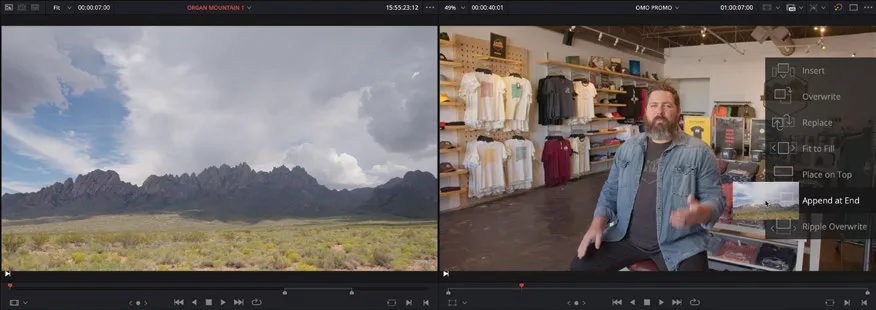 末尾追加Append at End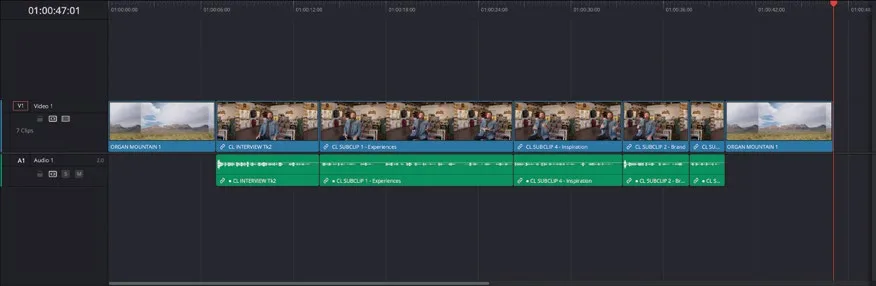
- 在时间线工具栏确认选中的是 Full Extent Zoom。Once the gaps are in place, the next step is to fill them with B-roll footage, which is what painting the interview is all about.
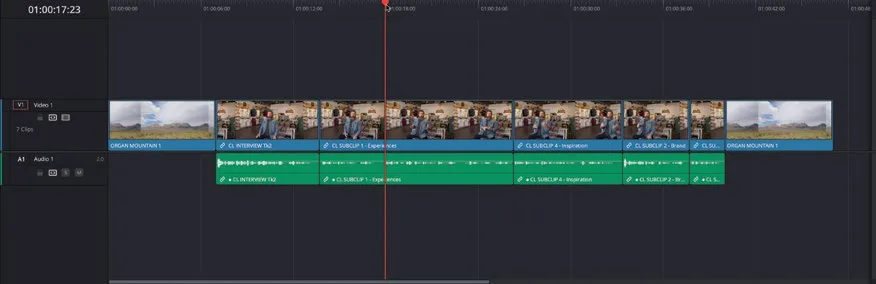
- 把时间线播放头移到时间线上第三个片段的任意位置。In the timeline toolbar, ensure that the Full Extent Zoom is selected.
- 选择 Timeline > Select Clips > Forward on Track,或按 Y。Position the timeline playhead anywhere over the third clip in the timeline.
这条命令会选中目标轨道上从播放头往后的所有片段。Choose Timeline > Select Clips > Forward on Track, or press Y.
TIP · 提示
如果多条轨道上都有片段,可以选 Timeline > Select Clips > Forward on All Tracks,一次性选中所有轨道上往后的片段。This command selects all the clips forward from the timeline playhead on the targeted track.
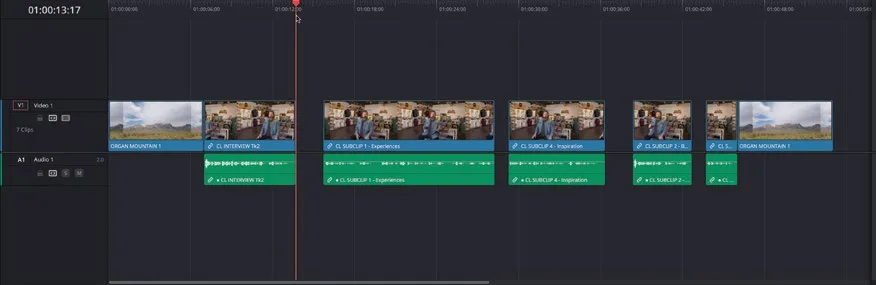
全部选中后,就可以整体移动它们。If you have clips on multiple tracks, you can choose Timeline > Select Clips > Forward on All Tracks, or press Option-Y (macOS) or Alt-Y (Windows).
- 保持片段选中,在时间线查看器的时间码字段输入 +200。With all the clips selected, it’s easy to move them together.
- 按 Enter(Return)。With the clips still selected, type +200 into the timeline viewer’s timecode field.
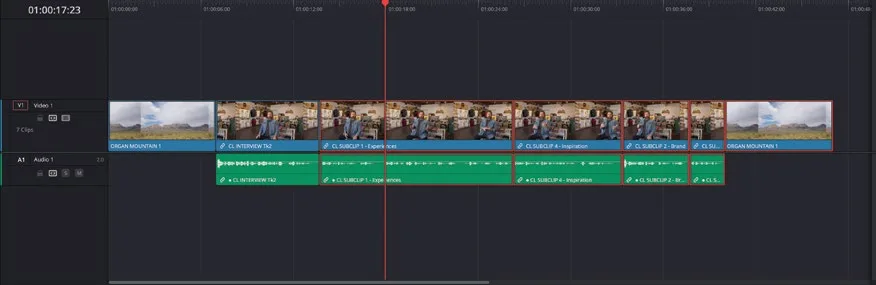
选中的片段整体前移 2 秒,留出一个空隙。2 秒只是示例值,实际按你想要的节奏来。Press Enter (Return).
NOTE · 注意
用扩展键盘的数字小键盘可以更快地输入时间码数值。This moves the selected clips forward by 2 seconds, leaving a gap. This is an arbitrary amount that will most likely be adjusted later when you’re refining the timeline.
- 按 Down Arrow 把播放头移到下一个剪辑点,再按 Y 选中从这里往后的片段。You can use the number pad of an extended keyboard to quickly enter timecode values.
- 输入 +100 并按 Enter(Return),在第二和第三个 soundbite 之间留出 1 秒空隙。Press the Down Arrow key to move the timeline playhead to the next edit, and press Y to select all the clips forward of this point.
- 把播放头移到第五个片段的任意位置,按 Y 再次选中其后片段。Type +100 and press Enter (Return) to add a 1-second gap between the second and third soundbites.
- 再次输入 +200 并按 Enter(Return),让最后三个片段整体前移 2 秒。Move the playhead anywhere over the fifth clip in the timeline and press Y to again select all the clips forward from the playhead.
把播放头移到最后一个 soundbite 片段的任意位置,按 Y。Again, type +200 and press Enter (Return) to have the last three clips move forward by 2 seconds, leaving another gap in the timeline.
输入 +100 并按 Enter(Return),在这支视频的收尾句之前留出 1 秒空隙。Place the timeline playhead anywhere over the final soundbite clip and press Y.
点击时间线的空白处,取消选中全部片段。Type +100 and press Enter (Return) to create a 1-second gap before the payoff of this video, where Chris delivers the tagline, “Experience the Southwest.”
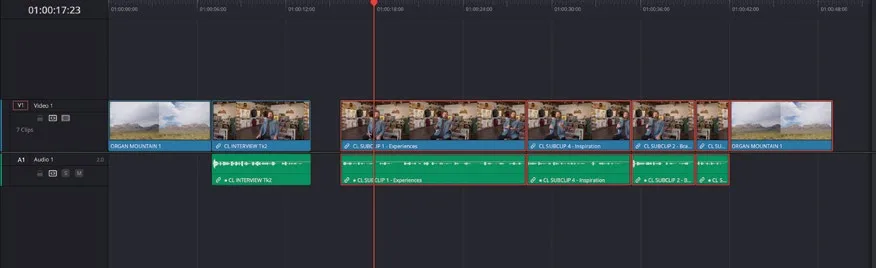
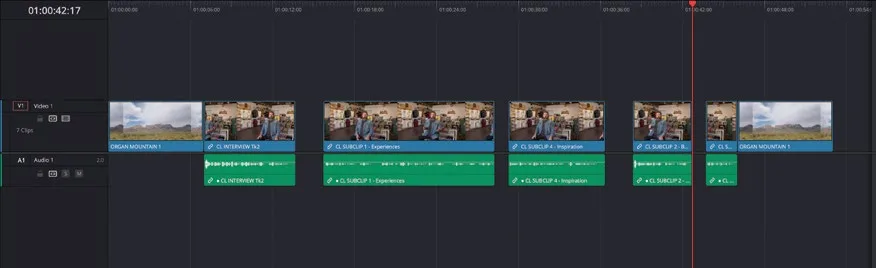
现在回放这条时间线,这些空隙听上去可能有点怪。不过当你后面配上画面和音乐后,这些呼吸感正是成片自然的来源。Click in an empty space in the timeline to deselect all the clips in the timeline.
NOTE · 注意
如果需要在这里停下来补进度,选中 TIMELINES bin,从中打开你想要的任意时间线继续。When you play this timeline back now, it might seem very strange to have these gaps. However, once you start covering them with the B-roll clips, Chris’s interview will sound more natural and better paced. Think of it as the movie-making equivalent of punctuation!
本卡术语Terms in this card
B-roll 素材B-roll 媒体夹Bin 声音片段Soundbite 时间线Timeline 播放头Playhead 配音Voiceover 静帧Still 时间码Timecode