全屏回看Full-Screen Review
3 steps
本卡概念Key Concepts
把当前时间线铺满整个屏幕的回看模式,界面元素全部隐藏,只留一组几秒后自动消失的播放控制——让你以观众的视角看成片。把当前时间线铺满整个屏幕的回看模式,界面元素全部隐藏,只留一组几秒后自动消失的播放控制——让你以观众的视角看成片。
简介Overview
恭喜!你已经为 Organ Mountain Outfitters 剪好了一条短小精良的宣传片。不过在把最终文件交付给客户上传社交媒体之前,应该先把它全屏完整看一遍。这很有用:能让你(以及在场的客户)看清成果,而不会被界面上各种"编辑辅助元素"分散注意力。Congratulations! You have successfully edited a short but polished promotional clip for Organ Mountain Outfitters. However, before you deliver the final file that will be uploaded to the client's social media channels, you should watch the whole thing back at full screen. This can be very useful because it will allow you (and the client, if they're with you) to see the results of your efforts without being distracted by all the "editing paraphernalia" of the interface.
- 选择
Workspace > Viewer Mode > Cinema Viewer,或按 Command-F(macOS)/ Ctrl-F(Windows)。Choose Workspace > Viewer Mode > Cinema Viewer or press Command-F (macOS) or Ctrl-F (Windows).
DaVinci Resolve 会将当前时间线全屏显示,简洁的导航和播放控件以浮层形式出现。DaVinci Resolve displays the current timeline in full screen. Simple onscreen navigation and playback controls are available as an overlay.
TIP · 提示
提示:在 Cinema Viewer 里,你熟悉的键盘快捷键依然可用——Home 回到片头,J、K、L 控制播放,等等。You can still use the keyboard shortcuts you're familiar with to navigate around the timeline in the Cinema Viewer. Use Home to return to the start of the edit, J, K, and L for playback, etc.
- 用屏幕上的控件回到开头并开始播放。几秒后控件和鼠标指针会自动隐藏。Use the onscreen controls to return to the start and begin playback. The controls and your mouse pointer will disappear after a few seconds.
- 看完你的杰作后,轻移鼠标重新唤出控件,点击
Exit Fullscreen按钮或按 Esc 键,返回完整的 Resolve 界面。When you've finished watching your masterpiece, move the mouse slightly to display the controls again and click theExit Fullscreenbutton or press Esc (Escape) to return to the full Resolve interface.
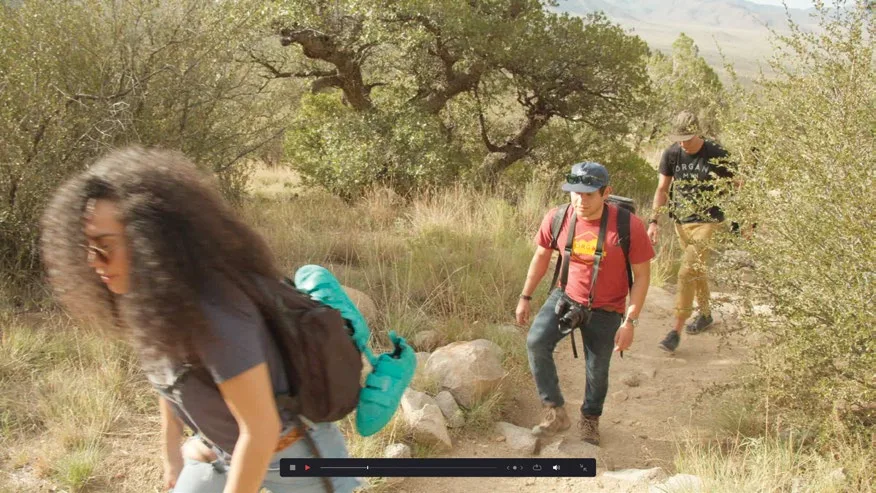
像这样回放时间线,能让你以观众的视角审视自己的剪辑。仔细看,想想哪些地方还能再打磨——如果需要,现在正是调整的时候。Playing back your timeline like this gives you an opportunity to see your edit the same way your viewers will. Watch carefully and see if any parts of the edit might benefit from additional changes. If so, now is the time to make those adjustments.
本卡术语Terms in this card
影院查看器Cinema Viewer 时间线Timeline 静帧Still 键盘快捷键Keyboard Shortcuts