JPG:有损压缩JPG: Lossy Compression
学习目标LEARNING OBJECTIVES
JPG 的「有损」意味着什么,为什么它绝对不能当工作素材?
概念说明CONCEPTS
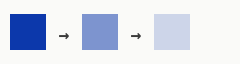
有损压缩:扔掉眼睛不敏感的信息,换更小的体积——代价是每存一次、每压一遍,都再丢一点质量。
什么时候用:照片、网页预览、发给别人看的样片。
操作步骤STEPS
- 样片、预览图导出 JPG
- 保存时质量别拉满——体积暴涨而肉眼几乎看不出
- 要二次调色,先换有富余空间的格式
练习PRACTICE
动手任务
同一张图连存三次 JPG,对比第三次的画质。
自检清单
做完任务后逐条自查,全部能打勾才算过。 做完任务后逐条自查,全部能打勾才算过。
常见问题FAQ
保存时质量拉满是不是更好?
体积暴涨,肉眼几乎看不出差别——不划算。
JPG 为什么不适合二次调色?
它已经是处理结果:一拉曲线就崩。要调色,拿有富余空间的格式。
Learning Objectives学习目标
What "lossy" means for a JPG, and why it must never be your working media?
Concepts概念说明
Lossy compression: information the eye isn't sensitive to is thrown away for smaller size — the cost is that every save, every re-compression, loses a little more quality.
When to use it: photos, web previews, viewing copies for other people.
Steps操作步骤
- Export previews and viewing copies as JPG
- Don't max the quality slider when saving
- Switch to a format with headroom before any second grade
Practice练习
Hands-on task
Save the same image as JPG three times in a row and compare the third one.
Self-check
Work through the task, then tick every line; all checked means you own this card. Work through the task, then tick every line; all checked means you own this card.
FAQ常见问题
Is maxing the quality slider better?
The file explodes and the eye can barely tell — not worth it.
Why isn't JPG good for a second grade?
It is already a processed result — one curve pull and it falls apart. Grade from a format with headroom.