TASK 3Task 3
降低拍手峰值Reduce Clap Peak
4 steps
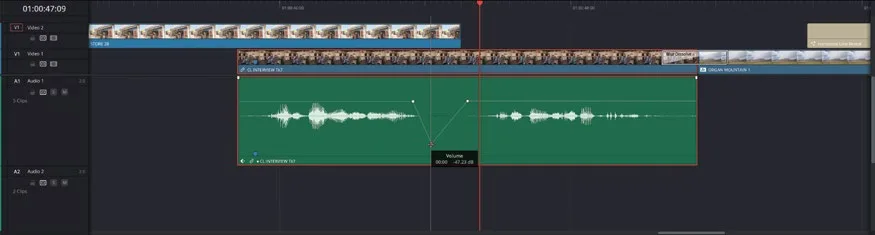
- 播放 Audio 1 轨道上最后一段采访剪辑,仔细听 Chris 说完 "That’s why we say…" 之后的部分。You can hear an unwanted clapping sound as he lowers his hands to his knees. Although this action is covered by the cutaway of the store exterior, it’s quite distracting now that the levels have been normalized.
你会听到他双手放下拍到膝盖时的拍手声。虽然这个动作被店铺外景的 cutaway 遮住了,但音量规范化之后变得很突兀。Zoom in on the clip in the timeline so you can clearly see the waveform and identify the slight peak created by the clap.
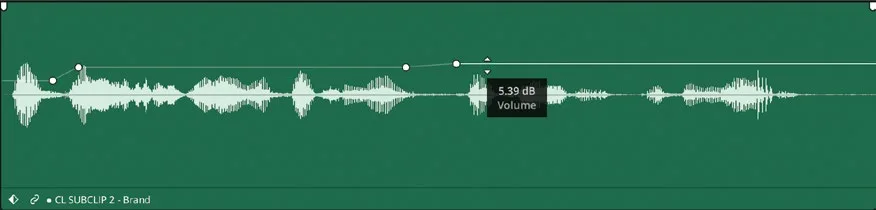
- 在时间线上放大该剪辑,清楚看到波形,定位拍手产生的微弱峰值。Option-click (macOS) or Alt-click (Windows) the volume bar to add two keyframes just after Chris’s first sound bite and just before the second, and a third above the peak made by the clap.
- 在音量条上 Option-click(macOS)或 Alt-click(Windows)添加三个关键帧:第一个放在 Chris 第一句 soundbite 之后,第二个放在第二句之前,第三个放在拍手峰值上方。Drag the middle keyframe down to reduce the level of the clap so that you no longer hear it in the mix.
- 把中间那个关键帧往下拖,降低拍手处的音量,让它在混音中听不到。Using keyframes like this is an easy way of minimizing unwanted or distracting sounds in your mix.
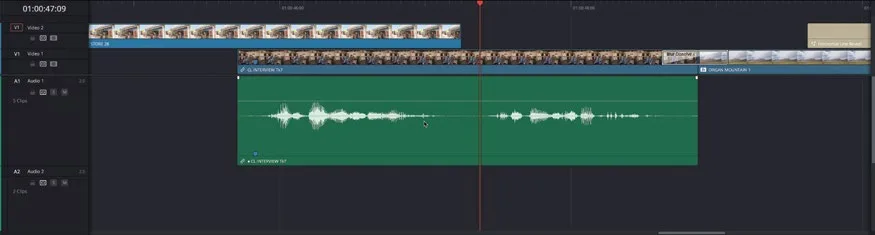
用关键帧这种方式,可以轻松地把混音中多余或干扰性的声音压下去。用关键帧这种方式,可以轻松地把混音中多余或干扰性的声音压下去。