准备项目Preparing the Project
6 steps
简介Overview
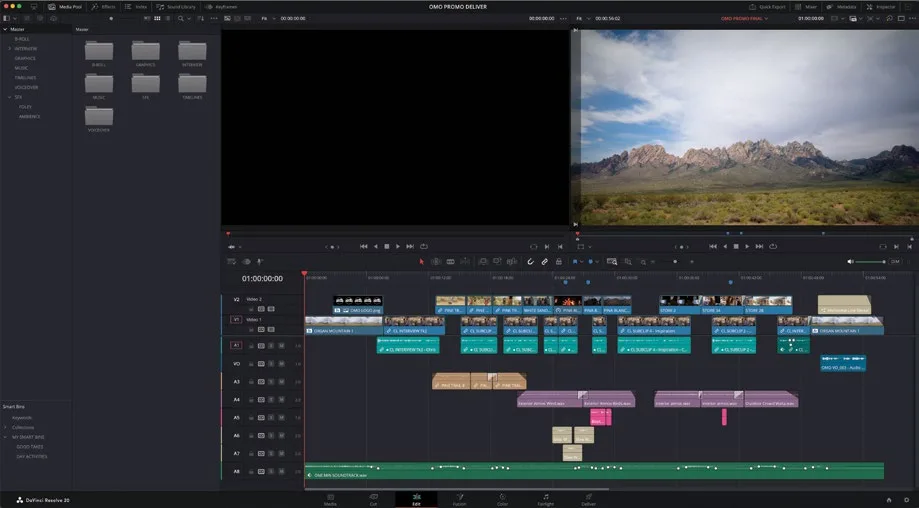
本节课将使用 Organ Mountain Outfitters 宣传片的完成版项目,这正是本书此前一直使用的素材。For this lesson, you will work with a completed version of the Organ Mountain Outfitters promo you have been working with at various times throughout this book.
- 启动 DaVinci Resolve,在 Project Manager 中点击
Import按钮。Launch DaVinci Resolve and, in the Project Manager, click theImportbutton. - 导航到 R20 Beginners Guide / Lesson 10,选中文件 OMO PROMO DELIVER.drp,点击 Open。Navigate to R20 Beginners Guide / Lesson 10, select the file OMO PROMO DELIVER.drp, and click Open.
- 项目导入到 Project Manager 后,双击该项目将其打开。Once the project has been imported into the Project Manager, double-click it to open the project.
- 项目打开后,进入 Edit page,选择
Workspace > Reset UI Layout。When the project has opened, select the edit page and choose Workspace > Reset UI Layout. - 点击 Media Pool 顶部的
Relink Media按钮。Click the Relink Media button at the top of the media pool. - 在
Relink Media窗口中点击 Locate,导航到系统中 R20 Beginners Guide 文件夹所在位置,点击 Open 重新链接素材。In the Relink Media window, click Locate, navigate to the location of the R20 Beginners Guide folder on your system, and click Open to relink the files.
完成以上操作后,即可开始本节课的学习。You are now ready to continue with this lesson.
本卡术语Terms in this card
媒体池Media Pool 项目管理器Project Manager 重新链接媒体Relink Media 编辑页Edit page 窗口Power Window